


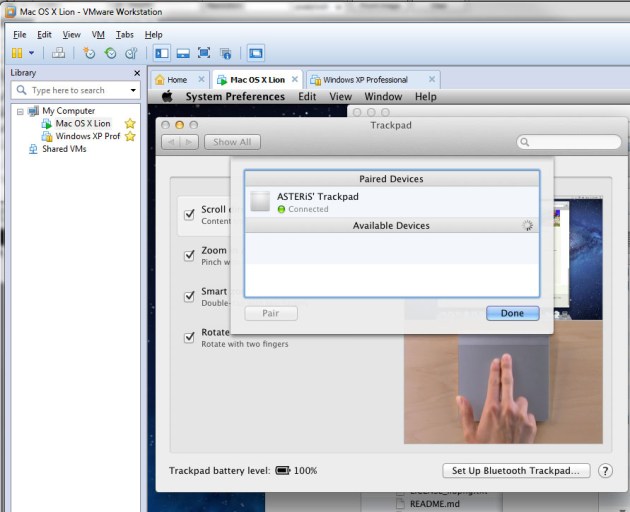
VMware에서 Mac OS X를 돌리면 블투기기가 연결은 되었는데, 페어링 실패했다고 뜬다.
이럴 땐, 다음과 같이 변경하면 해결할 수 있다.
1. Setting -> USB Controller 를 선택
2. Share Bluetooth device with the virtual machine 의 선택을 해제
3. VM->Removable Device 에서 직접 Bluetooth 모듈을 VMware에서 돌아가는 OS에 할당
설정을 바꿨으면 모두 리부팅해줄 것을 추천한다.
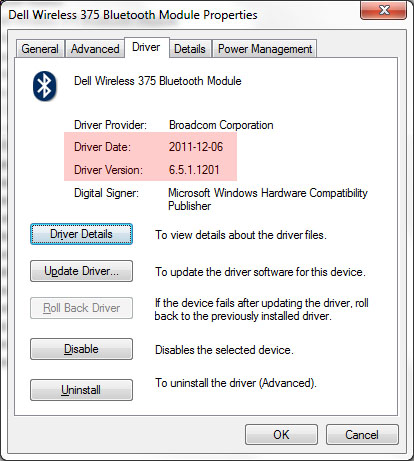
Alienware M14x R1의 Bluetooth – Dell Wireless 375 Bluetooth module 은 broadcom 칩셋을 사용하며 기본 설치된 드라이버로는 VMware 종료시 Bluetooth복구가 제대로 되지 않는 문제가 있다. Lenovo IdeaCentre A720와 호환되므로 그쪽 드라이버를 받아 Win64폴더에서 드라이버만 업데이트 해주면 제대로 동작한다.
sudo defaults write com.apple.MultitouchSupport ForceAutoOrientation YES
원래대로 돌리기
defaults remove com.apple.trackpad.orientation TrackpadOrientationMode
일단 6.5.1.1201 드라이버에서는 제대로 동작하는 것을 확인했다.
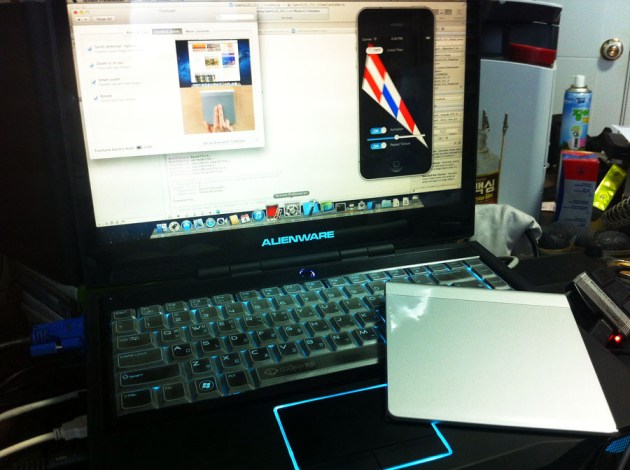
만약 트랙패드를 위아래 돌려서 쓰고 싶을 땐
http://hints.macworld.com/article.php?story=20101029060726179
이곳을 참조하라.
역전
defaults write com.apple.trackpad.orientation TrackpadOrientationMode 1
트랙패드 위 아래 뒤집기 최신 버전 OS에선 동작이 불안정한듯?
안 되다가 갑자기 반대로 먹기 시작하는 등. 리얼맥에서는 좀 다르려나.




답글 남기기